

Yoast SEO Premium
Original price was: 7,00 $.6,00 $Current price is: 6,00 $.
 Yoast SEO is one of the most trusted WordPress SEO plugins, helping website owners optimize their content for search engines and users alike. With powerful on-page SEO tools, clear readability analysis, and advanced technical SEO features, Yoast SEO makes it easier to rank higher and attract organic traffic.
Setup Instructions
Yoast SEO Premium Plugin (GPL) – Advanced WordPress SEO Optimization
Yoast SEO is one of the most trusted WordPress SEO plugins, helping website owners optimize their content for search engines and users alike. With powerful on-page SEO tools, clear readability analysis, and advanced technical SEO features, Yoast SEO makes it easier to rank higher and attract organic traffic.
This GPL-licensed version gives you full access to the plugin’s core premium features, allowing you to optimize meta titles and descriptions, control indexing, improve internal linking, and enhance overall site structure — all at a fraction of the cost.
Perfect for bloggers, businesses, travel websites, real estate platforms, and service providers who want professional SEO results without ongoing subscription fees.
✅ Fully GPL licensed
✅ Unlimited website usage
✅ Regular updates available
✅ No activation or license key required
Note: This product is distributed under the GNU General Public License (GPL). We are not affiliated with or endorsed by Yoast BV.
🚀 Yoast SEO Pro – Setup Guide & Best Practices (For Real Results)
🎯 1. First-Time Setup (Do This Immediately)
When you install the plugin, go to:
👉 SEO → General → First-time configuration
✅ Recommended Settings:
- Site representation → Organization (for business sites)
- Website name & logo → Add properly (used in Google)
- Social profiles → Add Facebook, LinkedIn, Twitter
- Search visibility:
- Posts ✅ ON
- Pages ✅ ON
- Media ❌ OFF (avoid duplicate content)
- Multiple authors?
- NO → Disable author archives (important for SEO)
👉 This step builds your SEO foundation correctly.
🔍 2. Keyword Optimization (Core Feature)
Each page/post should target ONE main keyword.
How to Use:
- Edit any page → Scroll to Yoast box
- Add:
- Focus keyphrase
- SEO title
- Meta description
🎯 Best Practice:
- Use keyword in:
- Title
- First paragraph
- Headings (H2/H3)
- URL (slug)
⚠️ Avoid:
- Keyword stuffing
- Targeting multiple keywords on one page
🧠 3. Content Optimization (Green Score System)
Yoast gives:
- 🟢 Green = Good
- 🟠 Orange = Needs improvement
- 🔴 Red = Poor
Focus on:
- Paragraph length
- Sentence readability
- Transition words
- Passive voice
👉 Don’t chase 100% green — focus on natural, useful content.
🔗 4. Internal Linking (Very Important)
Yoast Pro gives:
- Internal linking suggestions
- Orphaned content detection
✅ What to Do:
- Link pages together:
- Homepage → Services → Blog
- Add 2–5 internal links per page
👉 This helps Google understand your site structure.
📄 5. Schema & Rich Results (Automatic SEO Boost)
Yoast automatically adds:
- Article schema
- Organization schema
- Breadcrumb schema
✅ You Should:
- Enable Breadcrumbs:
👉 SEO → Search Appearance → Breadcrumbs → Enable👉 Improves:
- Google appearance
- User navigation
- Click-through rate
🌍 6. XML Sitemap (Must Be Enabled)
Go to:
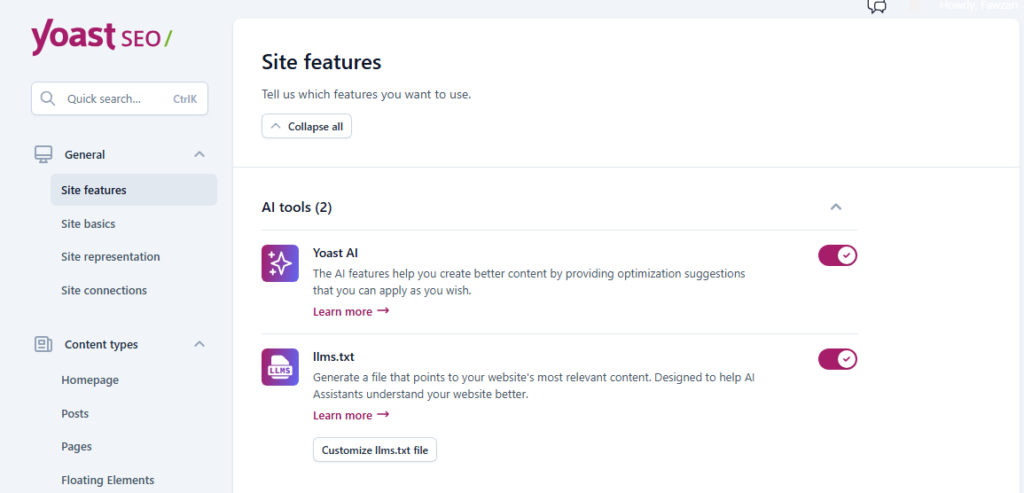
👉 SEO → General → Features✅ Ensure:
- XML sitemap = ON
Then submit to:
- Google Search Console
👉 This helps Google index your pages faster.
📱 7. Social Media Optimization
Go to:
👉 SEO → SocialSetup:
- Facebook image
- Twitter card
👉 Ensures your pages look professional when shared.
⚡ 8. Redirect Manager (Pro Feature)
One of the most powerful features.
Use It When:
- Deleting pages
- Changing URLs
✅ Best Practice:
- Always redirect old URLs → new URLs (301 redirect)
👉 Prevents:
- SEO loss
- Broken links
🧹 9. Cleanup & Technical SEO
Do This:
- Remove:
- Thin content
- Duplicate pages
- Set:
- Noindex for:
- Tags
- Archives (optional)
👉 Cleaner site = better rankings


⚙️ 10. Advanced Settings (For Better Control)
Important Options:
- Canonical URLs → avoid duplicate content
- Noindex → for low-value pages
- Cornerstone content → mark your most important pages
👉 Example:
Mark your service pages as Cornerstone Content
🧠 11. Winning SEO Strategy (What Actually Works)
Don’t rely only on Yoast.
Combine:
- Keyword research (Ubersuggest)
- Content (ChatGPT / Claude)
- Internal linking (Yoast)
- Data & reports (your strength)
👉 This is where you can differentiate your agency.
🎯 12. Common Mistakes to Avoid
❌ Writing for Yoast score, not users
❌ Ignoring internal links
❌ Not setting redirects
❌ Publishing thin content
❌ Targeting same keyword on multiple pages

Additional information
| WordPress Version | 6.0+, Latest |
|---|
Related products
-
Sale!

WP Rocket
Original price was: 7,00 $.6,00 $Current price is: 6,00 $. Add to cart -
Sale!
WPBakery Bundle
Original price was: 7,00 $.6,00 $Current price is: 6,00 $. Add to cart -
Sale!
FunnelKit product
Original price was: 7,00 $.6,00 $Current price is: 6,00 $. Add to cart -
Sale!
All-in-One Page Redirect
Original price was: 7,00 $.6,00 $Current price is: 6,00 $. Add to cart


